

Share with your CIO
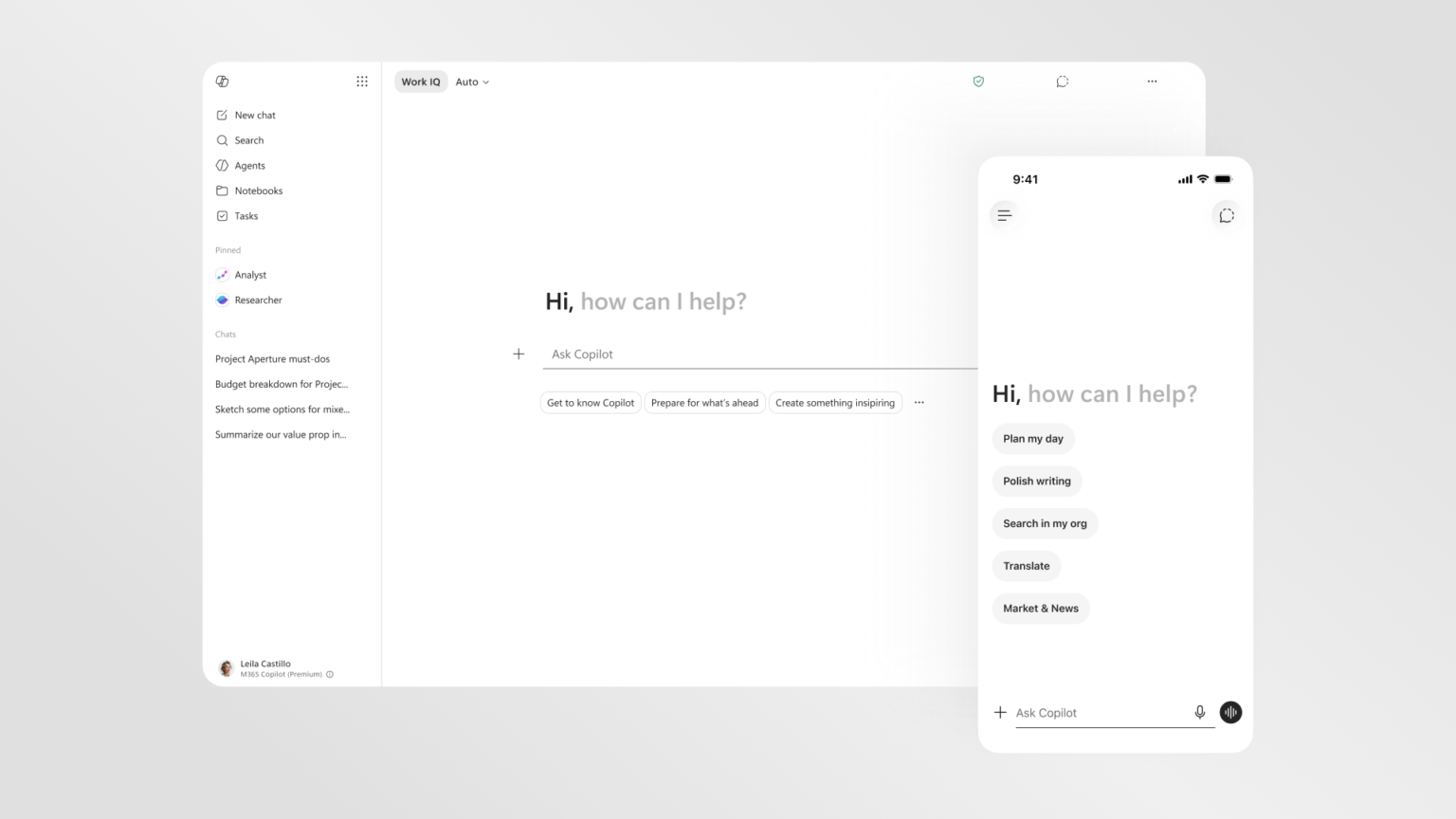
Microsoft is betting that the bottleneck in enterprise AI adoption isn’t capability, it’s interface friction. The company has redesigned Microsoft 365 Copilot around a unified entry point across Word, Excel, PowerPoint, and Outlook, replacing scattered touchpoints with a single context-aware prompt surface. The app now loads more than twice as fast, complex chat response times improved 10%, and in-app Copilot usage reportedly climbed 27% in Word, 33% in Excel, 43% in PowerPoint, and 30% in Outlook since the rollout. A new intelligence layer called Work IQ grounds responses in emails, files, chats, and meetings rather than individual documents.
What this means for your business
Adoption data from your own M365 tenant is the only number that matters right now. The usage lifts Microsoft is reporting are averages across a broad customer base, which means organizations that have done deliberate prompt training and workflow integration are almost certainly above that line, and those that deployed licenses without enablement programs are pulling the average down. If your Copilot utilization reports look flat, this redesign gives you a forcing function to relaunch the program with a cleaner product story.
The Work IQ layer is the architectural move worth understanding. Previous Copilot interactions were largely document-scoped: you opened a Word file, Copilot saw that file. Work IQ pulls across the full Microsoft Graph, meaning emails, calendar, Teams messages, and SharePoint content inform a single response. That’s the difference between a writing assistant and something closer to an organizational memory layer. The governance question that follows immediately is which employees should have cross-tenant visibility into whose signals, and whether your current M365 data classification policies were designed with that query surface in mind.
The signal worth watching is whether Microsoft’s “agentic mode” framing in Word, Excel, and PowerPoint translates into actions, not just suggestions. The announcement language describes Copilot moving from responding to prompts to taking action and operating more independently inside apps. That’s a meaningful shift in the human-in-the-loop calculus. The question worth holding: at what point does your change management program need to address workers who are no longer editing documents but reviewing what an agent produced?
Concept deep-dive: Progressive disclosure
Progressive disclosure is a design principle where an interface shows only what a user needs at a given moment, revealing additional complexity as the task demands it. It exists because presenting every option simultaneously overwhelms attention and slows decisions. Think of a cockpit versus a car dashboard: a car surfaces only what you need to drive; a cockpit exposes everything because every instrument matters in context. Microsoft is applying this to AI output itself, not just UI layout, meaning Copilot starts with a clean answer and layers in formatting, follow-up actions, and deeper reasoning only when the task warrants it.
Based on reporting from Introducing a new design for Microsoft 365 Copilot, originally published 2026-05-28 03:00:00.